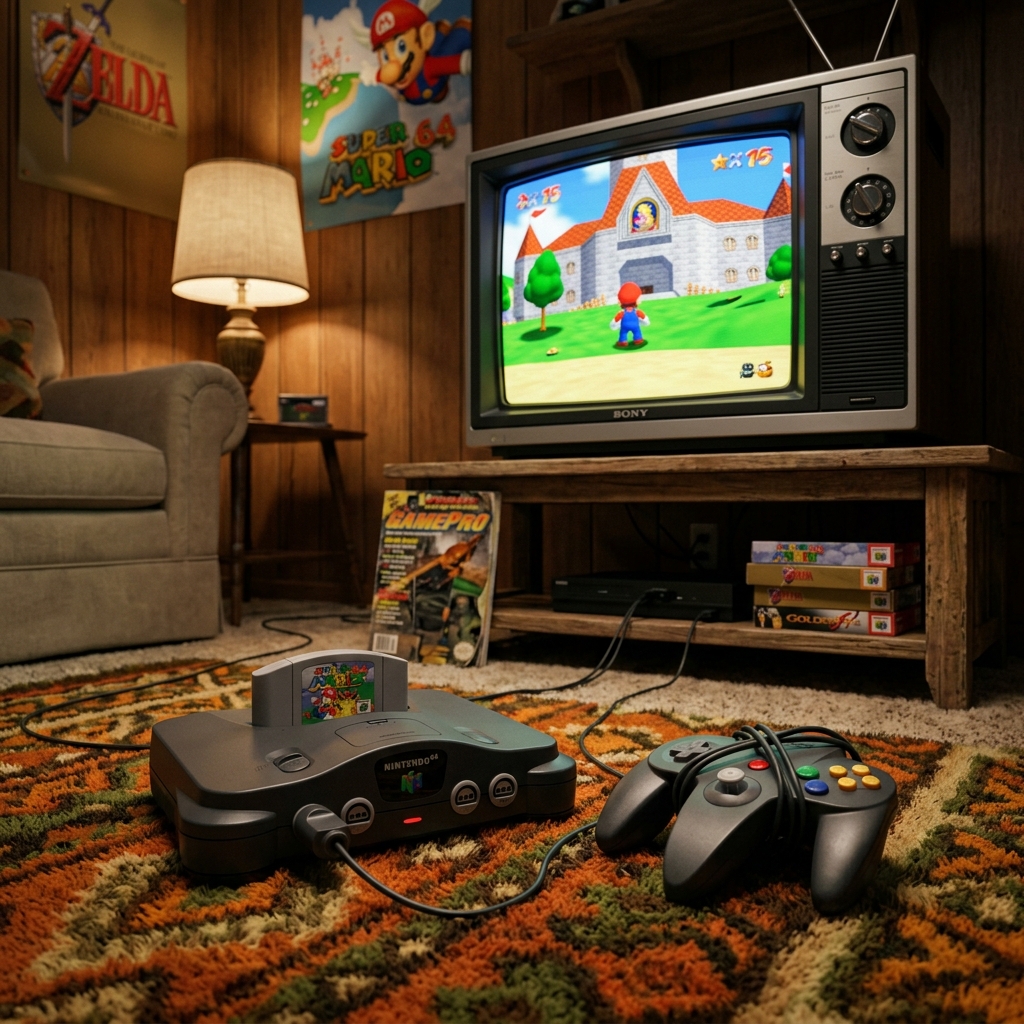
Released in 1996 for the Nintendo 64, Super Mario 64 revolutionized the industry by setting the standard for 3D camera controls and movement in a three-dimensional plane. Today, modern advances in WebAssembly (WASM) and WebGL have made it possible to play super mario 64 unblocked directly in standard browser tabs with no lags or installations. If you love playing mario online, this guide explains how browser-based unblocked play works and how to optimize your controls.
When *Super Mario 64* was released, it had to define how 3D movement worked. Unlike modern games where dual-analog sticks are standard, the N64 had a unique three-pronged controller with a single central analog stick. Adapting these fluid analog controls to modern keyboards requires intelligent mapping and high-performance WebGL rendering. Let us explore the technical and gameplay aspects of this 3D landmark.
1. The Technology Behind Browser Emulation
Playing 3D Nintendo 64 games historically required heavy offline emulators like Project64, along with manual graphics plugin configurations and bios dumps. Today, modern web standards allow running full games at a smooth 60fps inside standard HTML viewports with zero external configuration:
- WebAssembly (WASM): Compiles the original C codebase or emulator binaries straight into highly-optimized machine code that browsers execute at near-native speeds. This handles complex physics calculations and game states in real-time.
- WebGL/WebGPU: Routes the 3D graphics rendering pipeline directly to your device's graphics card, ensuring smooth textures, crisp rendering, and anti-aliasing without taxing your CPU.
- Local Storage Cache: Saves your progress (Power Stars, unlocked levels, keys) locally inside your browser's Cache Storage. This ensures that you can close the browser tab at any time and resume exactly where you left off!
2. Complete Keyboard Mappings Guide
To experience responsive gameplay in mario 64 unblocked, you must master the keyboard mappings. Standard layouts translate the classic N64 controller layout to the keyboard:
- Movement (Analog Stick): Use the **W, A, S, D** keys to run, slide, and creep. Pressing them gently or repeatedly simulates the D-pad and analog stick sensitivity.
- Action A (Jump): Mapped to the **Spacebar** or **L** key. Tapping it twice executes a double jump, and three times triggers the famous triple jump!
- Action B (Punch / Grab): Mapped to the **X** key or **I** key. Use this to defeat enemies, pick up Bob-ombs, or swing Bowser by the tail.
- Z-Trigger (Crouch / Ground Pound): Mapped to the **Shift** key or **K** key. Hold it down while running to slide, or press it mid-air to execute a high impact **Ground Pound**.
- Camera Controls (C-Buttons): Mapped to the **Arrow Keys** (Up, Down, Left, Right). This allows rotating Lakitu's camera around Mario for optimal visibility.
- Start / Pause: Mapped to the **Enter** key.
3. Mastering 3D Movement Combos
Super Mario 64 is celebrated for its highly expressive movement options. Combining jump and crouch keys lets you cross massive distances and climb walls with ease:
- Long Jump: While running at full speed, press the Crouch key (Shift) and immediately press the Jump key (Spacebar). Mario will launch forward in a long, low arc, carrying extreme momentum. This is the primary movement tool for retro speedrunners.
- Side Somersault (Side Flip): Run in one direction, quickly tap the opposite direction, and jump immediately. Mario will perform a high, flipping somersault, perfect for reaching high ledges without needing a wall run.
- Wall Kick: Jump towards any flat wall. The moment Mario touches the wall and begins to slide, press the Jump key again. He will kick off the wall, gaining vertical height and reversing his horizontal direction.
4. Early Star Walkthrough: Bob-omb Battlefield & Whomp's Fortress
When entering Peach's Castle, the first painting worlds are Bob-omb Battlefield and Whomp's Fortress. Here is how to secure your first four Power Stars quickly:
- Star 1: Big Bob-omb on the Summit: Ascend the spiraling mountain path, dodging rolling water boulders. At the summit, engage Big Bob-omb. Run behind him, press the Punch button (X) to grab him, and toss him to the ground. Repeat this three times to defeat him. *Caution: Do NOT throw him off the mountain summit, or he will reset!*
- Star 2: Footrace with Koopa the Quick: Once you have unlocked at least one Star, Koopa the Quick will spawn at the beginning of the level. Speak to him to initiate a race to the mountain summit. Sprint up the path without using Warp Zones to claim the Star at the finish line.
- Star 3: Chip Off Whomp's Block: Enter the second painting world (Whomp's Fortress). Ascend to the summit to find the Whomp King. Wait for him to slam down, dodge his body, and perform a Ground Pound (Z + Jump) on the plaster bandage on his back. Repeat three times to get the Star.
- Star 4: To the Top of the Fortress: After defeating the Whomp King, a massive stone tower will spawn on the summit. Carefully climb the spiraling platforms of the tower to collect the Power Star waiting at the peak.
5. Play Super Mario 64 Unblocked Online
From the early days of full screen mario (which reconstructed the classic 8-bit game in pure Javascript) to full 3D emulators, browser-based gaming has evolved into a highly premium experience. Experience the complete, unblocked N64 retro adventure today, fully optimized with responsive concentric mobile pads, high-performance WebGL graphics, and save states cloud sync. Rescue Princess Peach and outrank the competition from the comfort of your web browser!
Recommended Resources & Reading
Mastering retro platforms? Level up your skillset with our other helpful developer and gameplay walkthroughs:
- Super Mario Bros (NES): The Ultimate 1985 Level Walkthrough & History Retrospective
- Super Mario Bros 3 Secrets: Deep Suit Power-Ups & Warp Whistles Secrets
- Super Mario World Guide: Complete Dinosaur Land Walkthrough & Yoshi Shells Guide
- Super Mario Land & Dr. Mario: Game Boy Portable Guides & Puzzle Strategies
For more detailed historical context and community speedruns, check out these excellent external resources:
- Read the detailed history on the official Wikipedia Super Mario 64 Page.
- Explore the official community speedrun records on Speedrun.com.
- Explore stage maps and item positions on Super Mario Wiki.